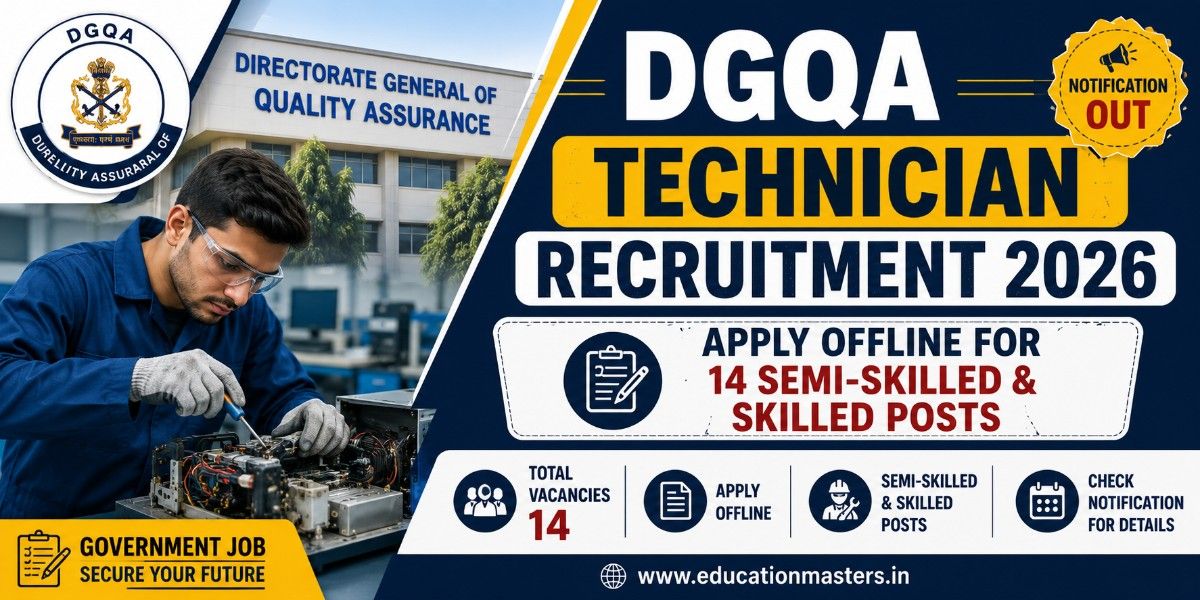


DGQA Technician Recruitment 2026: Apply Offline for 14 Semi-Skilled & Skilled Posts

By Pragya | In Chandigarh | Posted: Aug 09, 2026

About DGQA Technician Recruitment 2026 Admit Card

Directorate General of Quality Assurance (DGQA), Department of Defence Production, Ministry of Defence has released an official recruitment notification (Advt. No. CQA(S)/2026/Tech(SS) & Tech(SK)) for 14 Group 'C' Non-Ministerial Industrial posts of Technician (Skilled) and Technician (Semi Skilled).

Selection will be conducted through a 100-mark Written Test (Objective MCQs) followed by a 100-mark qualifying Trade Test. Eligible candidates must download the application format, fill in details in English, attach self-attested photocopies of 10th mark sheet, ITI certificate, experience proof, caste certificate, 3 passport-size photos, and a self-addressed envelope with ₹55/- postal stamp. Send the complete packet via Speed Post or Registered Post to the Controllerate of Quality Assurance (Systems), DGQA Technical Complex, Manovikas Nagar P.O., Secunderabad - 500009 on or before 28th August 2026 (05-09-2026 for remote areas).

DGQA Technician Recruitment 2026 Admit Card - Important Details

Name of Exam DGQA Technician Recruitment 2026
Conducting Department Directorate General of Quality Assurance (DGQA), Ministry of Defence
Post Name Technician (Skilled) and Technician (Semi Skilled)
Exam Date 28 Aug, 2026
Exam Time As per scheduled
Exam Mode Online (Computer)
Official Website https://www.ddpmod.gov.in/hi

Direct Admit Card Download Link

Click the button below to visit the official website and download your admit card

Download Admit Card

How to Download DGQA Technician Recruitment 2026 Admit Card

  1. Visit Official Website: Go to the official website portal 
  2. Locate Admit Card Section: Look for the "Recruitment / Latest Updates / Hall Ticket 2026" tab on the homepage.

  3. Select Post: Click on the link titled "Download Admit Card for [Post Name] Exam 2026".

  4. Enter Login Credentials: Input your required details, such as:

    • Registration Number / Application ID

    • Date of Birth (DD/MM/YYYY) or Password

  5. Submit & Verify: Re-check the details and click the "Submit / Login" button.

  6. Download & Print: Your Admit Card will appear on the screen. Download the PDF and take 2-3 clear printed copies for examination day.

Important Instructions for Candidates

 As soon as you download or receive your Admit Card, verify that all the following details are accurate and clearly legible:

  • Candidate's Name: Spelling must match your official ID proof and application form.

  • Roll Number / Registration ID: Ensure it is clearly printed.

  • Date of Birth & Gender: Double-check for accuracy.

  • Category: Verify that your category (General / OBC / SC / ST / EWS / PwBD) is correctly listed.

  • Exam Center & Venue Address: Note the exact venue location, landmark, and center code.

  • Exam Date, Shift & Reporting Time: Check your allotted exam timing and gate closure time carefully.

  • Photograph & Signature: Ensure your uploaded photograph and signature are crisp and recognizable.

banner ad
Pragya

Pragya

I am Pragra, a student and Content Writer at Education Masters, passionate about creating informative, SEO-friendly, and student-focused educational content. I specialize in writing about government jobs, entrance exams, admissions, results, and career guidance to help students make informed academic and career decisions.
Share this Post

(इस पोस्ट को अपने दोस्तों के साथ शेयर करना ना भूले)
 

Others Category Jobs

×
Subscribe now

for Latest Updates

Articles, Jobs, MCQ and many more!